
That Shopping List PRO
markenappsShopping
4.545.00 Reviews
- Version
- 15.07.00
- Installs
- 100.00K
- Age Rating
- Everyone
Screenshots
Our Review of That Shopping List PRO
 Analysis by Appyee
I usually open a grocery list app when I’m already juggling something: checking the fridge, packing lunch, or trying to remember what ran out while I was away. That is the moment That Shopping List PRO is meant to help with. It turns a vague mental inventory into something I can work through at the store, and its appeal is in keeping the job focused on the list rather than turning grocery planning into a bigger project.
Start with the way you actually shop
Before adding anything, I’d decide whether the list is for one quick stop or a full weekly shop. That small choice affects how I organize it: a short list can stay simple, while a larger one benefits from grouping items into sections that match the route I take through my usual store. The app is a shopping app from markenapps, and its free entry point makes it easy to try as a practical alternative to a note on the phone.
The everyday advantage is not that a list makes decisions for me; it is that I can capture them before they disappear. If I notice that coffee is nearly gone while making breakfast, I can add it then instead of hoping I remember later. For a household, that habit also makes it easier to distinguish “we need this” from “I might pick it up,” especially when more than one person contributes.
Build a list that works in the aisle
Once I’ve gathered the essentials, I’d arrange them in a way that reduces backtracking. A grocery list is most useful when it reflects the path I’ll take, not just the order in which items came to mind. Grouping produce, chilled food, and pantry items can make a busy trip calmer, particularly if I’m shopping with a time limit. The useful trick is to keep categories consistent from one trip to the next, so I don’t have to rethink the structure every week.
I’d also keep the wording specific enough to act on. “Yogurt” may be fine if I’m flexible, but “plain yogurt” is more helpful if that is what the recipe needs. Lists are shared working documents, so clarity matters even more when someone else might be the one in the store. A quick review before leaving can catch duplicates, unclear quantities, or an item that was added for a meal already changed.
When the list moves between people
Sharing is where a list can be more useful than a private note. If one person is at home noticing what is missing and another is already near the shop, having a shared list can reduce the familiar chain of messages: “Did you get the thing?” “Which one?” “How much?” I’d treat the list as the single place to update, rather than sending a separate text that can be overlooked or become outdated.
There is a practical trade-off, though: everyone needs to follow the same routine. If one shopper adds items to the app while another keeps sending them by text, the shared list no longer represents the full job. Before splitting a shop, I’d agree that additions go in one place and that whoever finishes an item marks it off. That simple handoff discipline matters more than clever formatting.
What the trip feels like afterward
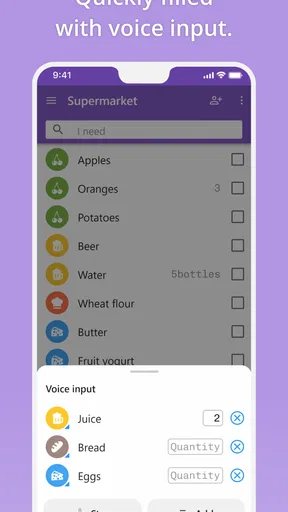
At the store, the list gives me a clear sequence to follow and a way to check progress without relying on memory. Voice input can help when my hands are occupied at home, while a barcode scanner can be handy for adding a packaged product already in the pantry. Those tools are most valuable as shortcuts for capturing an item; they do not replace checking that the list says the right thing before I leave.
My best everyday use case is a shared midweek top-up. I notice that milk and vegetables are running low, add them as I cook, and let the person passing the shop take the list. They can handle the essentials without asking me to reconstruct the kitchen from memory. For a large planned shop, I’d take a minute to sort the list and check quantities; for a quick stop, I’d keep it lean so the app doesn’t become another task.
Getting Started with Ease
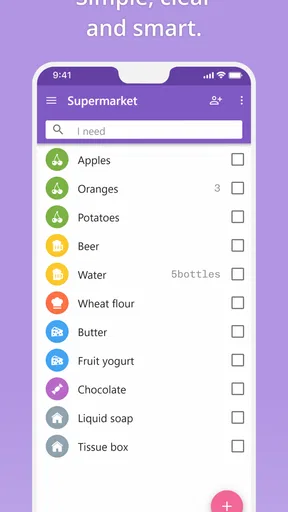
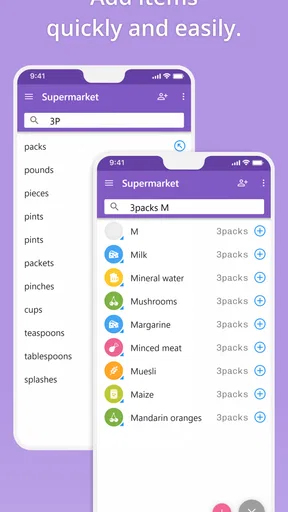
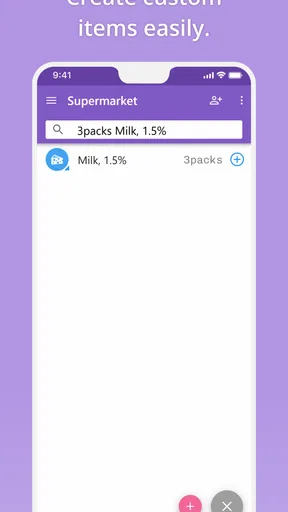
First things first, let's talk about setting up That Shopping List PRO. It’s as easy as pie. Once you download the app, the interface greets you with a clean and simple layout. You can dive straight into creating lists without any fuss. I was pleasantly surprised by how intuitive it was—no tutorials or manuals needed. Just tap, type, and you’re good to go!
The app gives you the option to categorize your items, which, if you’re anything like me, is a godsend. Just imagine not having to trek back across the store because you missed something in the dairy section. You can create categories like produce, dairy, meats, etc., and organize your shopping list to match the layout of your favorite store. It’s like having a personal shopping assistant right in your pocket.
Features That Make Life Easier
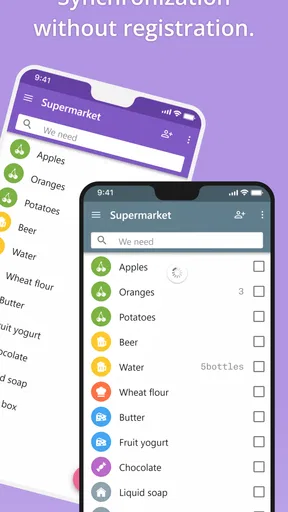
One of the standout features for me is the ability to share lists. You can easily share your shopping list with family or friends. This is especially handy if you’re splitting shopping duties or if someone else is doing the shopping for you. No more back-and-forth texts to make sure you got everything right—it’s all there in the app, updated in real-time.
The app also supports voice input, which is super convenient if you’re in a hurry. Just say what you need, and it adds it to your list. I tried it while cooking, and it worked like a charm. Plus, it’s got a barcode scanner, so you can quickly add items by scanning them directly from your pantry.
Customization and Personalization
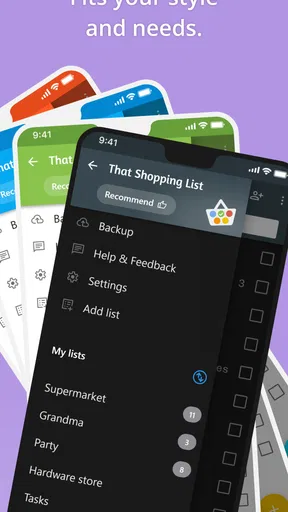
Customization is another area where this app shines. You can personalize your lists with different themes and colors, making it not just functional, but also fun to use. There’s something satisfying about checking off items with a little flare, don’t you think?
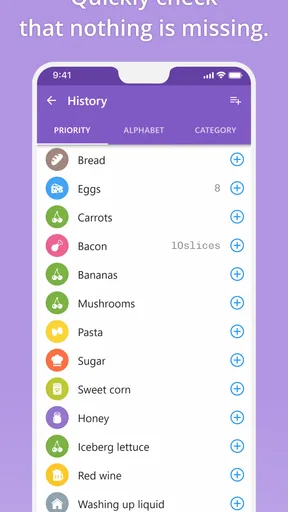
Additionally, you can save your favorite items for quick access, which is perfect for those repetitive weekly buys. Just tap a button, and it’s added to your list. It saves so much time, and you never have to worry about forgetting your staples again.
Seamless Sync Across Devices
I also appreciated the seamless sync feature. Whether you’re using a phone, tablet, or even jumping between an Android and an iOS device, your lists stay updated across the board. It’s great for those of us who switch devices but want to keep everything organized and in sync.
And for those of you who love stats, the app provides insights into your shopping habits. It tracks what you buy and can even suggest items you might need based on your previous purchases. It's like having a personal shopper who knows your habits better than you do.
Choosing it over simpler options
Compared with a paper list or a basic notes app, this is the better fit when a shopping run involves recurring staples, categories, or another person taking over partway through. A paper list still wins when I want a no-phone backup or prefer to jot things down without unlocking a device. A general notes app can be more flexible for meal plans and unrelated reminders, but it takes more manual upkeep to keep a grocery list tidy. I’d choose this app when the shopping workflow itself is the priority.
It is also worth setting expectations around who benefits most. Someone who shops alone for just a few items may find a plain note perfectly adequate. I’d recommend this app more readily to people who shop regularly, share household errands, or want their repeat purchases and store sections in one routine. It is free to start, rated for Everyone, and has a 4.4 average from around 4.9 thousand ratings, with over 100 thousand installs. The current version is 15.05.01, and it runs on Android 7.0 or later.
Small habits that prevent list friction
A useful habit is to add an item as soon as I notice it is low, then refine the entry when I know what I need. That avoids interrupting cooking to make a perfect list. Before a shared trip, I’d scan for duplicates and specify choices that matter, such as a particular type of produce or a preferred size. If the other shopper cannot reasonably guess what I mean, the entry needs another word or two.
Another trade-off is that a digital list depends on the phone being available and the list being kept current. If I’m shopping somewhere with poor connectivity or handing the task to someone who does not use the app, I’d make sure the list is accessible to them before setting off, or choose a simpler handoff. The app’s usefulness comes from a shared routine, not from assuming everyone will automatically use it the same way.
Where it may not be the right fit
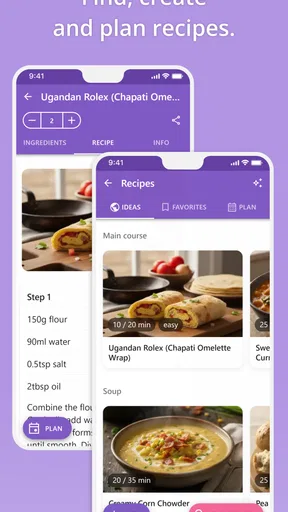
I would skip it if I wanted a full meal-planning system, recipe guidance, or a broader household organizer rather than a dedicated grocery workflow. It is also not the best choice for someone who strongly prefers paper, dislikes managing lists on a phone, or only needs a one-off reminder now and then. For those needs, a paper note or the phone’s built-in notes app may involve less setup.
The name includes “PRO,” but the app is free to download and offers in-app purchases listed at $5.49 per item. I’d check the purchase screen before paying for anything and decide whether the available free experience already covers my routine. That is a sensible approach for a simple utility: try it with an ordinary shop first, then judge any paid option by whether it genuinely saves effort.
Final Thoughts
In conclusion, That Shopping List PRO is more than just a shopping list app; it’s a complete shopping experience optimizer. It’s perfect for anyone looking to streamline their grocery trips and save some precious time and effort. While it might sound like just another list app, the features and usability place it a cut above the rest.
If you’re always on the go or just want to make your shopping trips a little less hectic, I’d seriously recommend giving this app a try. It’s like having a little bit of order in the chaos that is grocery shopping, and who wouldn’t want that?
A practical decision before you install
My recommendation comes down to the handoff. If you are the only person shopping and rarely forget anything, you may not need more than a quick note. If a partner or housemate regularly adds items, shops on your behalf, or takes over when plans change, a shared list can make the errand noticeably easier—as long as everyone treats it as the source of truth.
Verdict
Strengths of That Shopping List PRO
- User-friendly interface enhances shopping experience.
- Customizable categories for personalized lists.
- Syncs across devices for easy access.
- Barcode scanner for quick item entry.
- Offline mode available for convenience.
Limitations of That Shopping List PRO
- Limited free version features.
- Ads can be intrusive in free version.
- Requires internet for some features.
- No voice input for hands-free use.
- Occasional syncing delays reported.
Similar Picks in This Category
View All
SHEIN-Shopping Online
Roadget Business PTE. LTD.4.8

Amazon Shopping
Amazon Mobile LLC4.4


Mercado Libre: Compras online
Mercado Libre4.8

Wish: Shop and Save
Wish US Holdings LLC4.7

Alibaba.com - B2B marketplace
Alibaba Mobile4.4
Frequently Asked Questions
What features does That Shopping List PRO offer compared to the free version?
That Shopping List PRO offers several enhanced features not available in the free version. These include unlimited list creation, the ability to share lists with multiple users in real-time, and integration with voice assistants. It also supports item categorization, price tracking, and personalized suggestions based on your shopping habits.
Is That Shopping List PRO user-friendly for beginners?
Yes, That Shopping List PRO is designed with user-friendliness in mind. The interface is intuitive, making it easy for beginners to navigate. The app offers a quick start guide and in-app tutorials that help new users understand how to utilize all features effectively, ensuring a smooth shopping experience.
Can I use That Shopping List PRO offline?
Absolutely, That Shopping List PRO allows users to access and update their lists offline. Any changes made while offline will automatically sync once the device regains internet connectivity. This feature ensures that you can manage your shopping lists even in areas with limited or no internet access.
How does That Shopping List PRO handle data privacy and security?
Data privacy and security are top priorities for That Shopping List PRO. The app uses encryption to protect your data and complies with GDPR and other privacy regulations. User information, including shopping habits and personal details, is stored securely and is never shared with third parties without explicit consent.
What kind of customer support does That Shopping List PRO provide?
That Shopping List PRO offers comprehensive customer support to assist users with any issues. Support options include in-app chat, email, and a dedicated help center with FAQs and troubleshooting guides. Users can expect prompt responses to queries, ensuring any problems are resolved quickly and efficiently.
